
Understand the material
Review questions, correct answers, relevant legislation, explanations and road signs without time pressure.

A Czech study app combining explained questions, adaptive practice, mock tests, road signs, legislation and model traffic situations.
The app and all learning content are in Czech. Core content is available without Premium; each separately limited Premium feature includes three trials.

Explore real app screens in dark mode. Select any card to see the details. The app interface and learning content are in Czech.

Driving theory on open and closed Duo.

Practise moving off, changing gears and traffic situations.

Traffic situations and correct answers in context.

Listen to questions, answers and explanations.

Driving on the big screen, controls on Duo.

From the answer to the relevant legal provision.

Vehicle technology explained visually and parking step by step.

Puzzle and matching games on closed and open Duo.

Test your knowledge and review your results.

Intersections from the driver’s perspective, with explanations.

Practise starting, shifting and handling traffic situations with manual or automatic controls.

Study real traffic situations through questions, images and video.
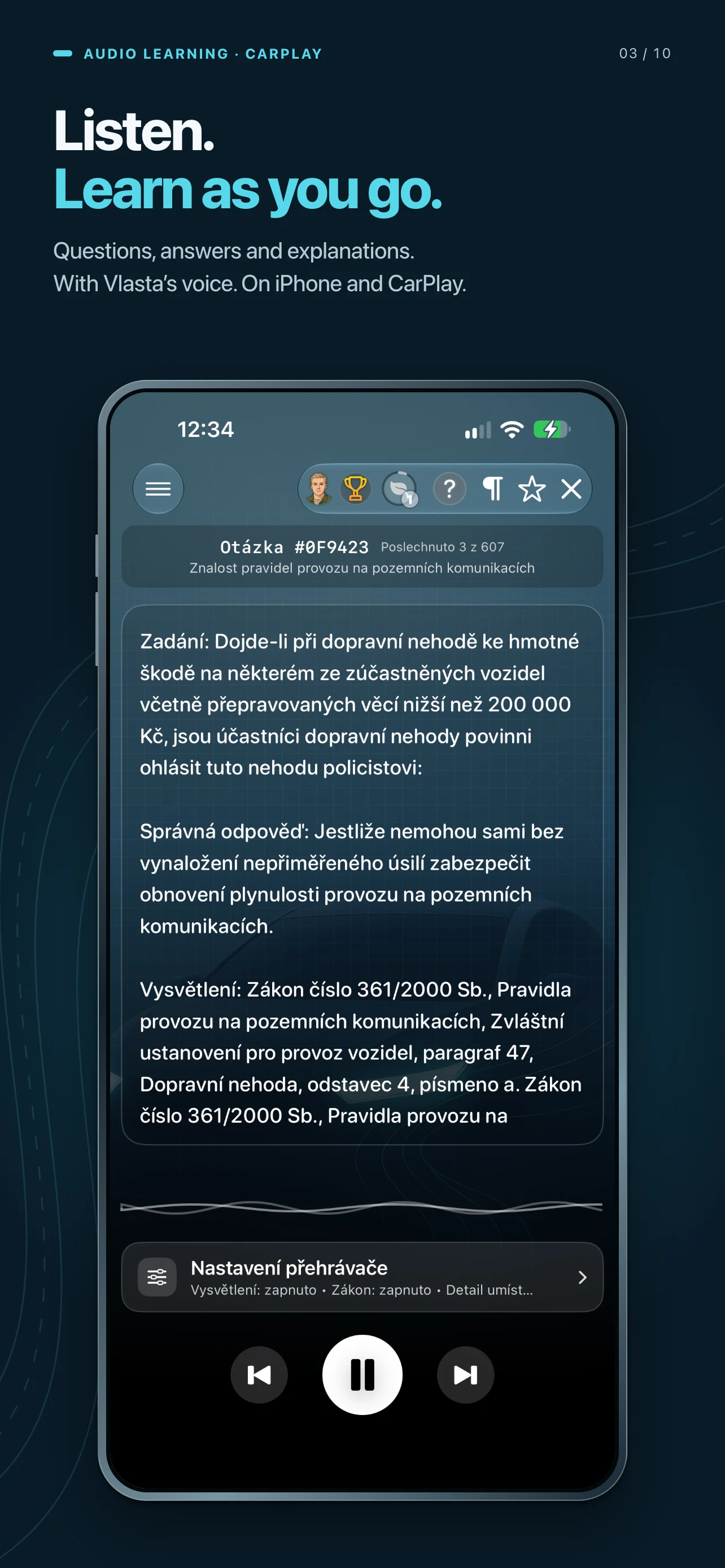
Listen to questions, correct answers and explanations of the relevant legislation. Audio is in Czech.

Explore right of way from the driver’s perspective and replay the traffic sequence.
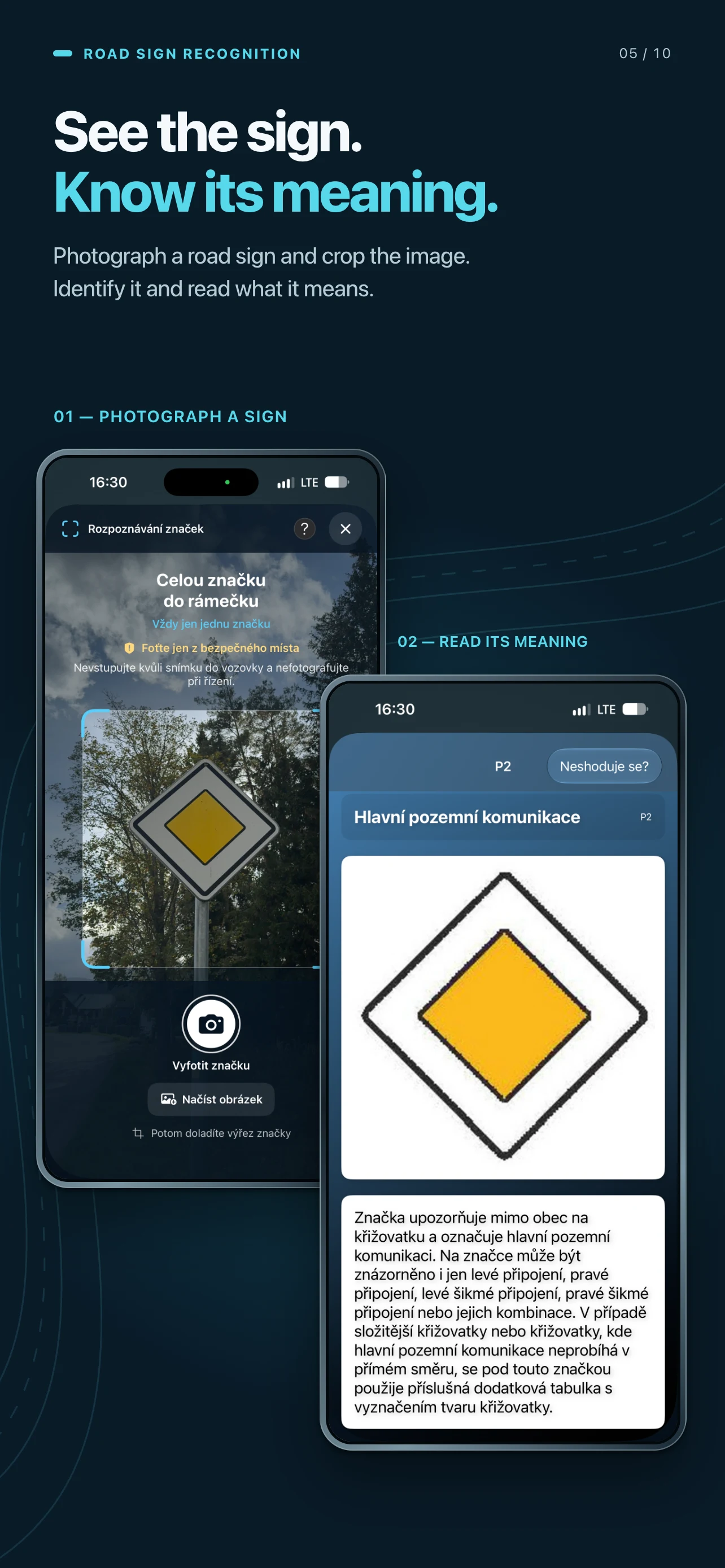
Photograph a sign, adjust the crop and open the explanation of the recognised sign.

Show the simulation on a compatible MacBook, TV or other AirPlay display. Your phone becomes the controller.
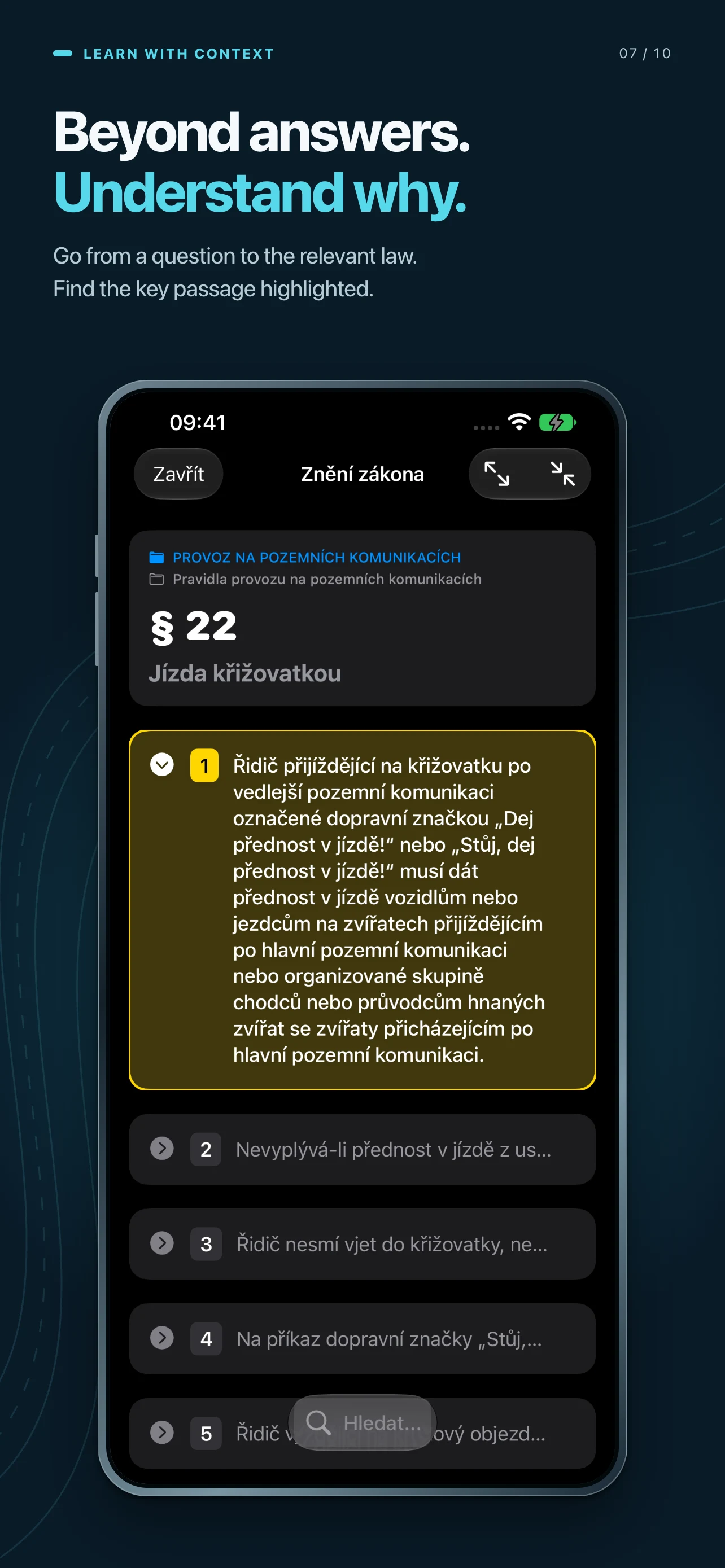
Open the relevant law directly from a question, with the key passage highlighted.

Parking step by step and vehicle technology explained with animations.

Find matching pairs, then touch and hold a matched sign to learn what it means.

Continue learning across your devices with iCloud synchronisation enabled.

Questions, signs and a driving simulator. All together on iPad.

Starting, shifting and traffic situations. Manual and automatic on iPad.

Real situations, pictures and videos. Understand the correct answer.

Questions, correct answers and explanations. At your own pace.

Driving on the screen. Controls on iPad. Connected with AirPlay.

Go from a question to the relevant law. With the key passage highlighted.

Results by category. See what you know and what to practise.

Touch and hold a matched sign to learn what it means.

Explore the situation and play the animation. Then review how it unfolded.

Take a photo, adjust the crop and read the explanation. Right on your iPad.
Preparation is divided into connected modes: first understand the material, then practise selected areas and finally check your knowledge in a timed test.
Review questions, correct answers, relevant legislation, explanations and road signs without time pressure.
Learning mode considers previous mistakes, returns difficult questions and adapts the scope of later lessons to the results.
Timed mock final tests, answer details, attempt history and targeted repetition of mistakes.
Listen to questions, correct answers, explanations and related legislation. Playback can also be controlled from the lock screen.
Catalogue, browsing, practice, tests, AR recognition and game modes for reinforcing knowledge.
For 48 official test situations, a static image is supplemented with a 3D animation, an intersection drive-through and solution analysis. Custom situations can also be created in the editor.
Relevant legal provisions directly alongside questions, full-text search and animated traffic situations.
Success rate, study time, problem areas, test history, experience points and daily goals in one overview.
Favourite questions, personal notes, saved tests and an overview of new, updated and removed items.
Category-based lessons, interactive diagrams, pre-drive checks and learning questions.
Explore Vehicle technology →From first reviewing the questions to practical simulation. The modes complement one another, combining focused study, knowledge checks and shorter game-based practice.
QUESTIONS AND TESTS
Review questions, answers, explanations and legislation without time pressure.
Adaptive training of selected, difficult or favourite questions.
Guided study with progressive stages, challenges and tracking of learned questions.
Listen to prompts, correct answers, explanations and related legislation.
An unofficial simulation of the Czech final-test format for the selected licence group. After completion, you receive a detailed evaluation, can repeat a failed test and practise incorrect questions separately. Results remain available in history and statistics.
For 48 official test situations, we supplement the static image with a 3D animation, an intersection drive-through and solution analysis. Custom situations can be built in the editor. Official 3D animations from mdcr.cz can be opened directly from the app.
PRACTICAL SITUATIONS
3D practice covering vehicle preparation, pedals, shifting, traffic and decision-making.
An evaluated unofficial drive with a result card and improvement recommendations.
Practice specific situations with analysis of priority and the correct route through an intersection.
A model demonstration including clutch and pedal control and observation of surrounding traffic.
Speed, engine RPM, pedals, gear and important events in charts and history.
Text and spoken guidance while driving, with adjustable difficulty.
ROAD SIGNS
Complete list of signs, categories, filters and favourites.
Continuous recognition training that remembers progress and mistakes.
A quick test in which you select the correct sign from three options.
A guide using the device camera to recognise road signs.
Assembling road-sign images focuses attention on their shape and important details.
Finding matching pairs provides short visual road-sign recognition practice.
ADDITIONAL TOOLS
Same route. New situations.
You can drive the same route again, but traffic situations may differ. Watch other vehicles, pedestrians and current conditions, and make decisions based on what is happening around you — much like in real traffic.
A practical training space for actions that cannot be learned from test questions alone. Practise vehicle preparation, moving off, smooth pedal control, shifting, stopping and the correct sequence of individual steps.
From urban intersections to motorways, driving in reduced visibility and encounters with an ambulance. Explore the current manual transmission, pedal and turn-signal controls, route progress and immediate feedback.


Each map combines urban driving, roads outside built-up areas and specific traffic situations. Free-driving routes gradually become longer, busier and more demanding.
A compact cross-section of situations from across the app with continuous drive evaluation.
A longer learning drive for reinforcing basic habits and reading traffic.
A more varied urban route with a higher density of vehicles and pedestrians.
The longest production route, with the heaviest traffic and rapidly changing situations.
Driving on a clear day differs from driving in rain, at dusk or at night. The simulator can change visibility and lighting so learners can safely practise observing traffic, selecting lights and adapting their driving.
Choose a time of day manually or let the environment follow the device’s actual time. Lighting, sky, street lamps and visibility adapt throughout the day.
Weather can be selected directly. Automatic mode gradually cycles through conditions using smooth transitions.

Timely reactions begin with a speed appropriate to the rules and conditions. Simulator speed cameras provide specific feedback: in an enforced section, the app compares vehicle speed with the applicable limit and records the measured value and outcome when it is exceeded.
The record is saved in My BZ and Challenges, where it can be reopened and the penalty paid from collected BZ points. Learners see both the immediate warning and the longer-term consequence.
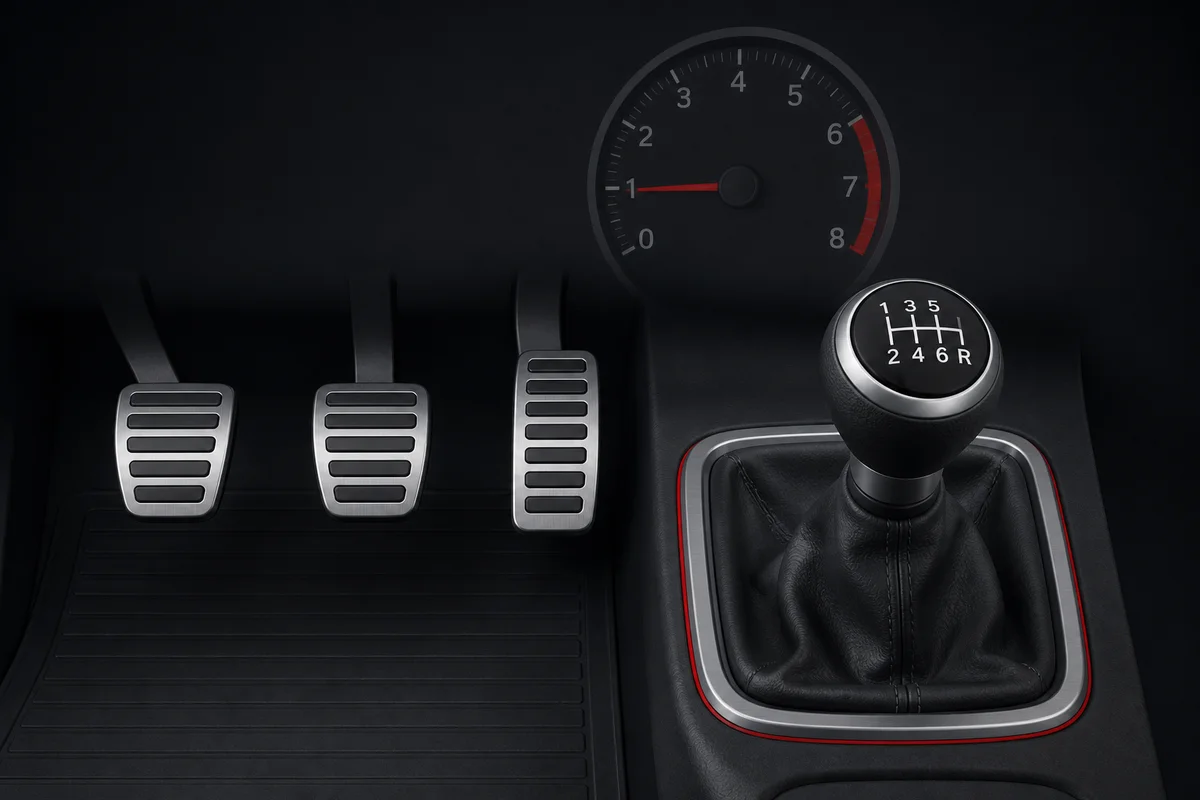
Practise moving off, controlled clutch release, accelerator use and shifting in a conventional 1–6 + R gate. The simulator detects engine stalls, unsuitable RPM and releasing the clutch too quickly.
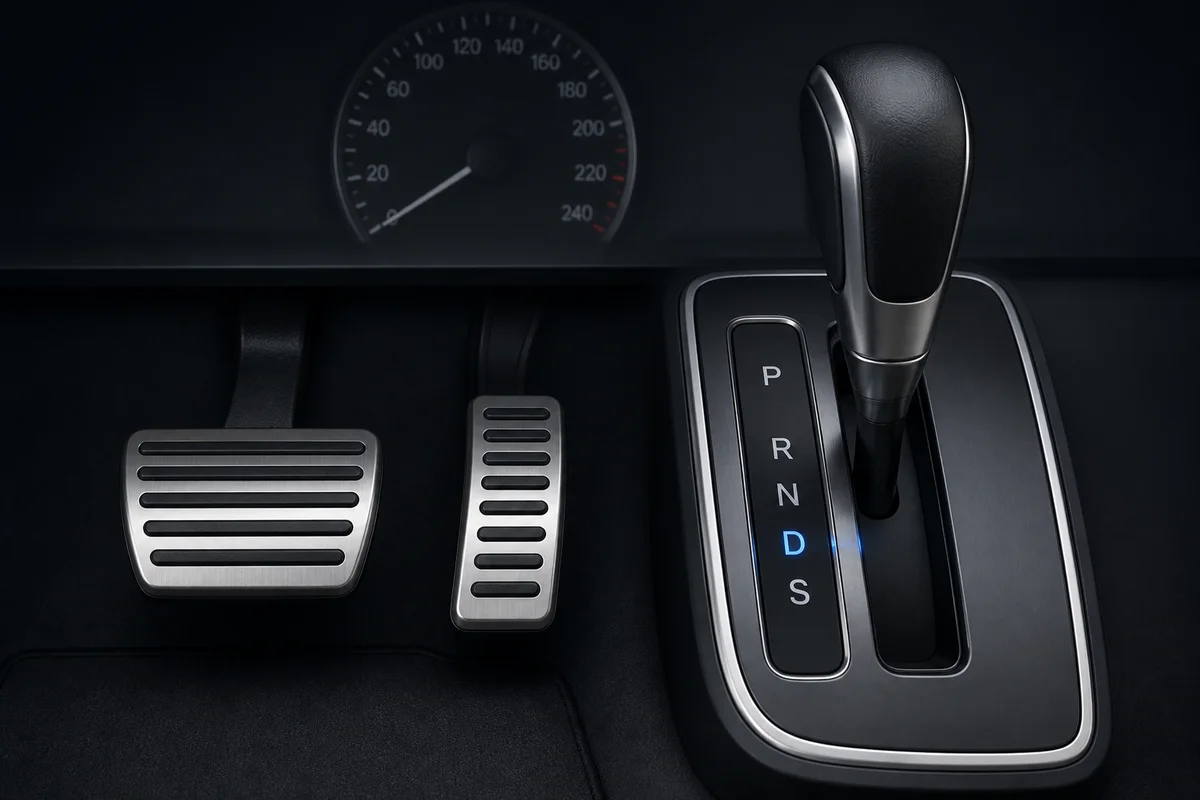
Practise brake and accelerator use and the P/R/N/D/S selector. The simulator includes creep after releasing the brake, kickdown and prevention of shifting out of P without pressing the brake.
The autopilot combines virtual traffic information, road rules and continuous vehicle control. An optional visual overlay shows the objects it tracks, its target speed and why it is slowing down or giving way.
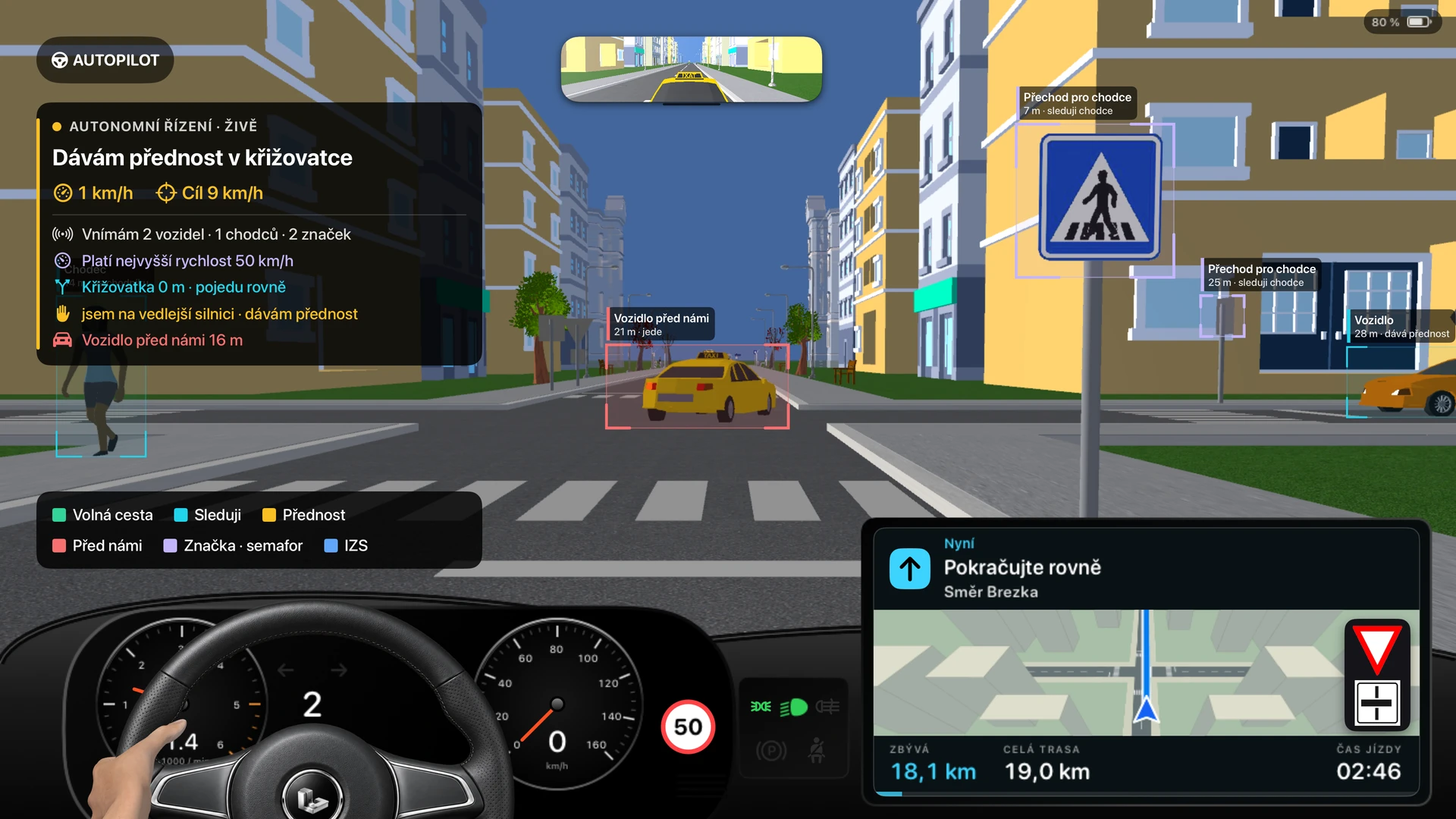
The system uses the positions and movement of vehicles, pedestrians and road features in the 3D world. It relates this information to the route, intersections and direction of travel.
Rule-based logic and state machines bring together priority rules, traffic signals, pedestrian crossings and railway crossings. The autopilot chooses whether to proceed, slow down or wait according to the current situation.
Distance, relative speed and time headway help assess the approach to a vehicle ahead. Deceleration planning also accounts for braking distance and grip within the virtual environment.
Target speed and stopping position adapt continuously to traffic. Control logic coordinates acceleration, braking and transmission operation within the vehicle model.
Looking around at intersections and railway crossings forms part of the teaching behaviour. Awareness of the surroundings complements the decision about when to proceed.
Coloured frames and a live status panel expose information used by the simulator. See tracked objects, the current intention and the reason for waiting in the context of the traffic situation.
In the app, enable Prezentace autonomity (Autonomy visualisation). During an autopilot drive, the overlay shows what the vehicle perceives and how it makes decisions.
Four ways to park, plus how to leave each space. Watch clear 3D demonstrations from different viewpoints, with a Czech voice guide explaining every step.
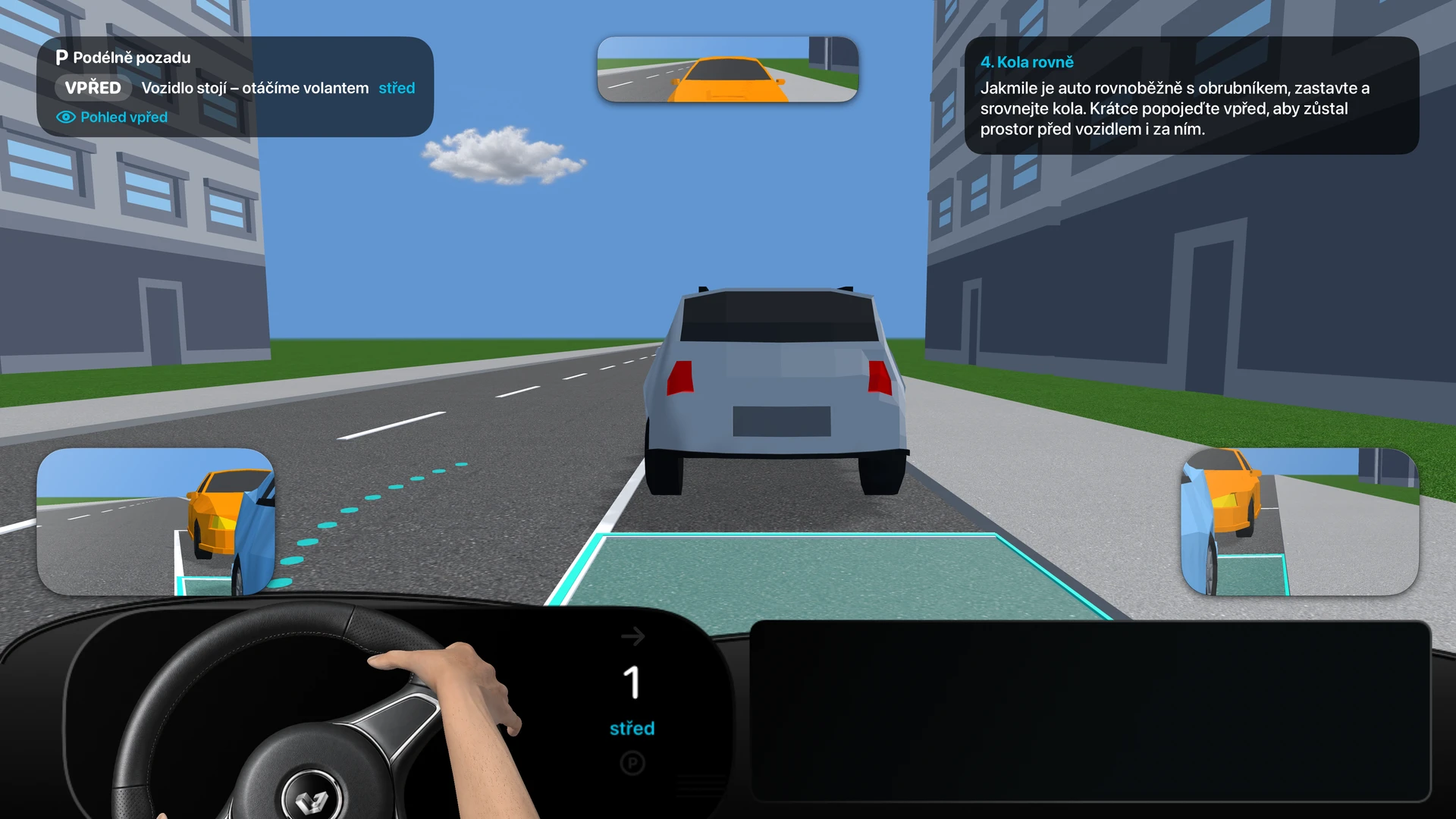
Reverse parallel, forward perpendicular, reverse perpendicular and forward angled parking. Each type also includes a demonstration of leaving the space.
The overhead view explains the vehicle’s path, the angled view shows spatial relationships, and the view behind the wheel brings you closer to the driver’s perspective.
Czech narration and on-screen text explain each step, steering and checks of the surroundings. Follow both the vehicle’s movement and the reasons behind each action.
Pause the demonstration, return to a specific step or change playback speed to 0.5×, 1× or 1.5×.
From checking the surroundings and approaching the space to straightening the wheels and securing the vehicle. A separate departure demonstration explains how to return to the traffic lane or parking aisle.
Display the 3D demonstration on a compatible screen and control playback from your iPhone or iPad.
54 learning topics across 7 areas. From pre-drive checks through the engine, transmission and brakes to equipment and trailers. Content adapts to your driving licence category — category B includes 34 topics.
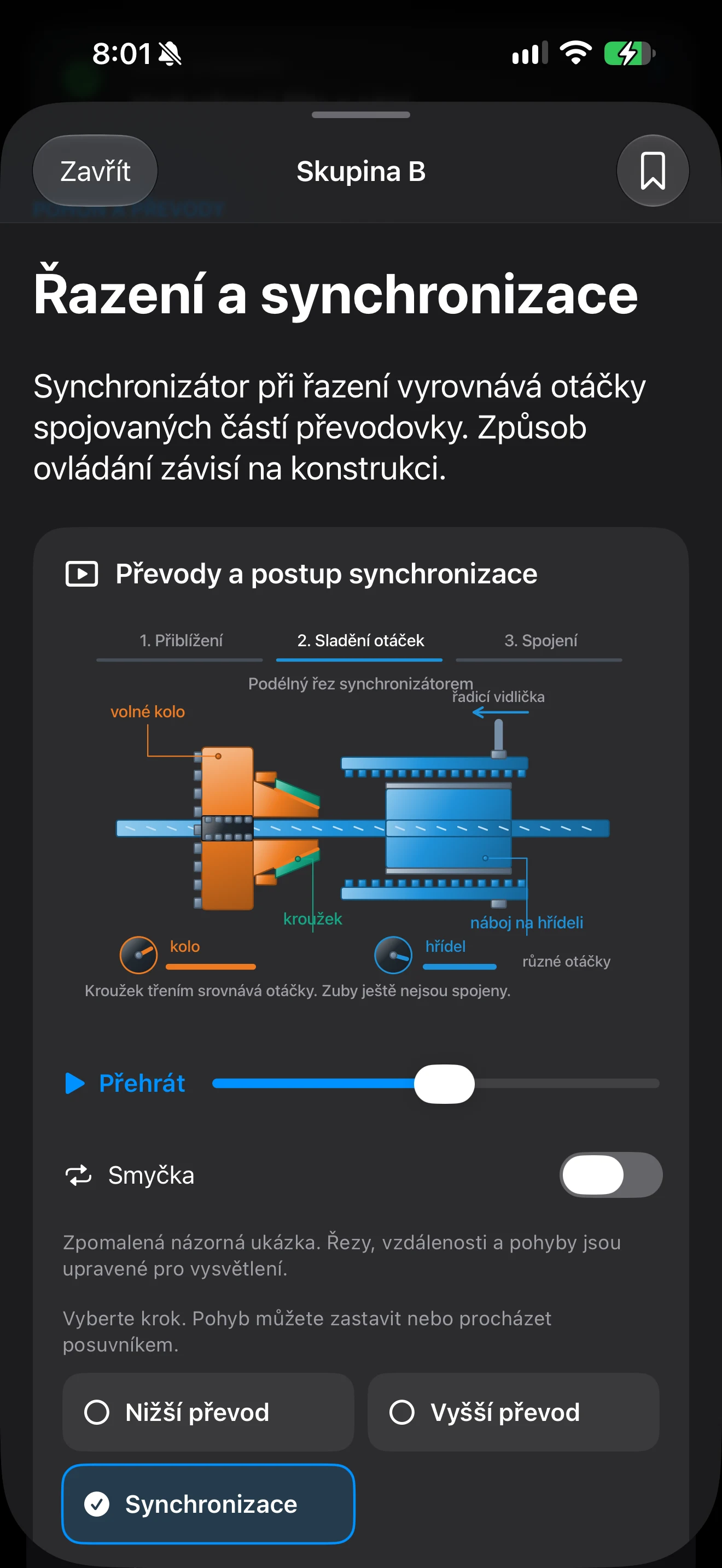
Switch between states and see what changes. For example, compare a cold and warm engine in the cooling system. Enlarge the diagram for a closer look.
Follow procedures step by step, check your understanding with a learning question and bookmark lessons for later.
Topics for A, B, B+E, C, C+E, D and D+E. Includes a practice pre-drive checklist and 45 operation and maintenance topics for C/D.
Lessons and illustrations work offline. Progress and bookmarks are stored on the device separately for each category. The app content is in Czech.
Included in Premium · 3 trial sessions for the whole mode. Access from the main menu and simulator shares the same allowance.
The app includes over 5,000 Czech voice recordings for studying and simulator guidance. Audio mode reads the question, allows time to think and then provides the correct answer, explanation and relevant part of Czech law.
This Premium mode explains vehicle technology through lessons and interactive diagrams matched to the category in your profile. It also includes learning questions and a practice pre-drive checklist. It has its own three trial sessions; browsing more lessons within the same session does not use another trial.
Yes. Autoškola Professional is designed for Czech driving tests, and the entire app and its learning content are in Czech. This English page is provided as a product overview.
The app supports iPhone, iPhone Duo, iPad and Apple CarPlay.
Key study modes can be used offline. Some online content, such as traffic-situation animations, requires a connection.
Without Premium, users can browse and search questions, review question changes, access laws, browse the road-sign catalogue, view new and updated signs, statistics, the penalty-point system, favourites, notes and saved tests. Online animation availability depends on the connection.
Each separately limited Premium feature has three trials. The entire 3D simulator, including both transmissions, autopilot and the mock practical test, shares one limit. Intersection practice, puzzle, matching pairs, audio learning and the mock final test have separate limits.
No. The simulator provides supplementary virtual practice and does not replace instruction with an authorised teacher or an official test.
Yes. Time of day can be selected manually or synchronised with actual time. Weather modes include automatic, clear, partly cloudy, overcast, rain, snow and storm.
No. It is an unofficial simulation of the test format. An app result does not grant or confirm a driving licence.
The iPhone, iPhone Duo, iPad and CarPlay release is in development. Once available, a direct App Store link will be added here.